Internal Operations · Content Moderation · Support Tool · Role-Based Workflows

Support tool for high-volume operations

Webka is an internal admin platform used by administrators, moderators, support agents, and reviewers responsible for maintaining platform quality, handling escalations, and enforcing policy.

Before the redesign, moderation and support work was fragmented across spreadsheets, disconnected dashboards, manual queues, and informal processes. The goal was to create a centralized operational tool that would unify moderation workflows, streamline task queues, improve visibility into content states, and help admin teams handle high-volume work with more consistency.

Task resolution time
Escalation overhead
Filtering time
Operational efficiency
Role
Product Designer
Domain
Content Moderation / Streaming Platform
Platform
Internal Operations Tool / Web platform
Team
Engineers, QA, admin users, support leads
Scope
Dashboards, roles, filtering, task queues, operational clarity
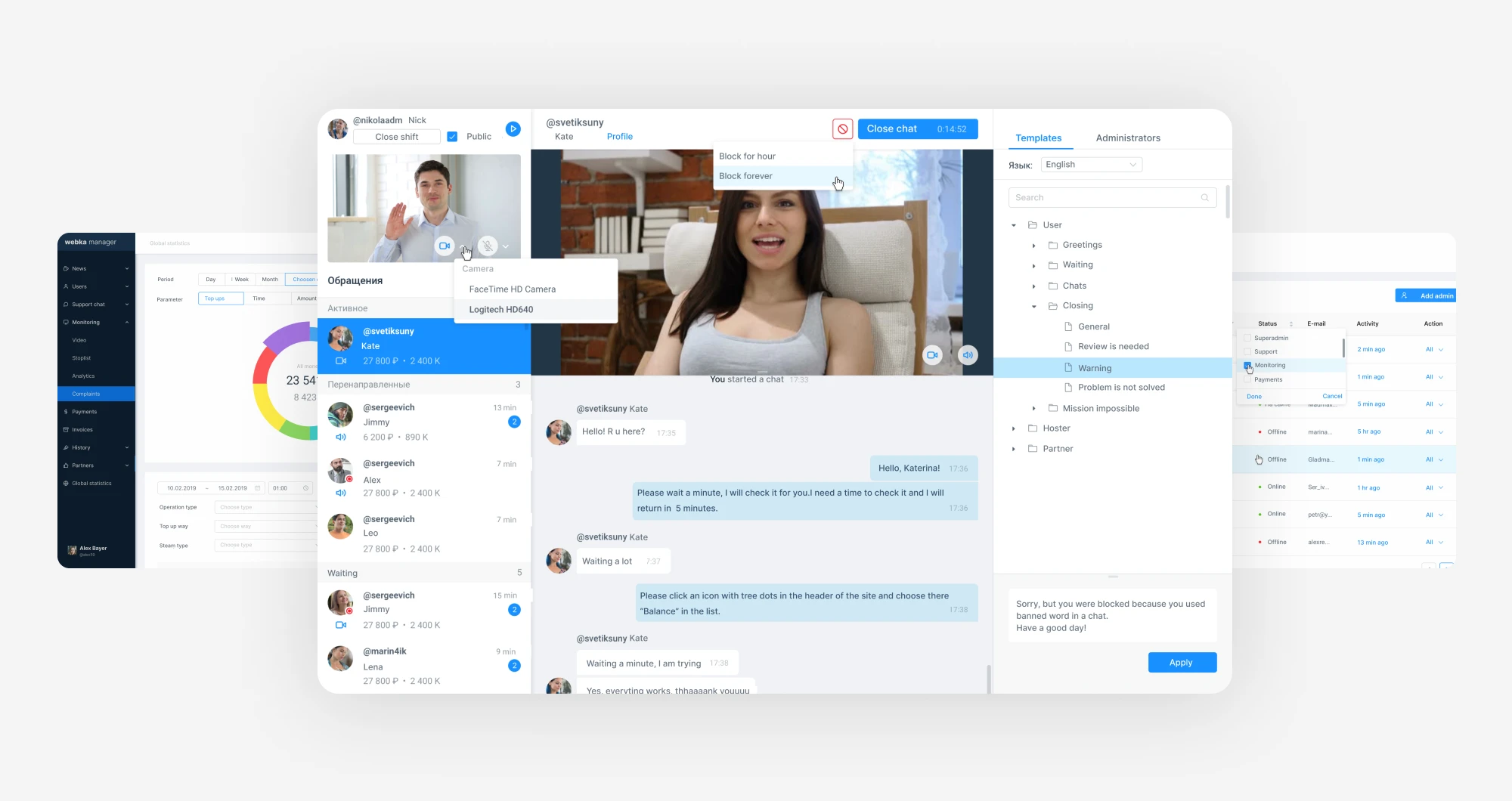
Webka admin platform

Product Context

A high-volume internal tool for moderation, support, and platform quality

Webka supports internal teams responsible for keeping the platform safe, consistent, and operationally manageable. Moderators and support agents work with user reports, content review, escalations, policy decisions, and administrative actions.

For moderators, speed and clarity matter. For managers, visibility and reporting matter. For compliance and QA, auditability and consistent decision-making matter. The product needed to support all of these needs without becoming overloaded.

Webka product context

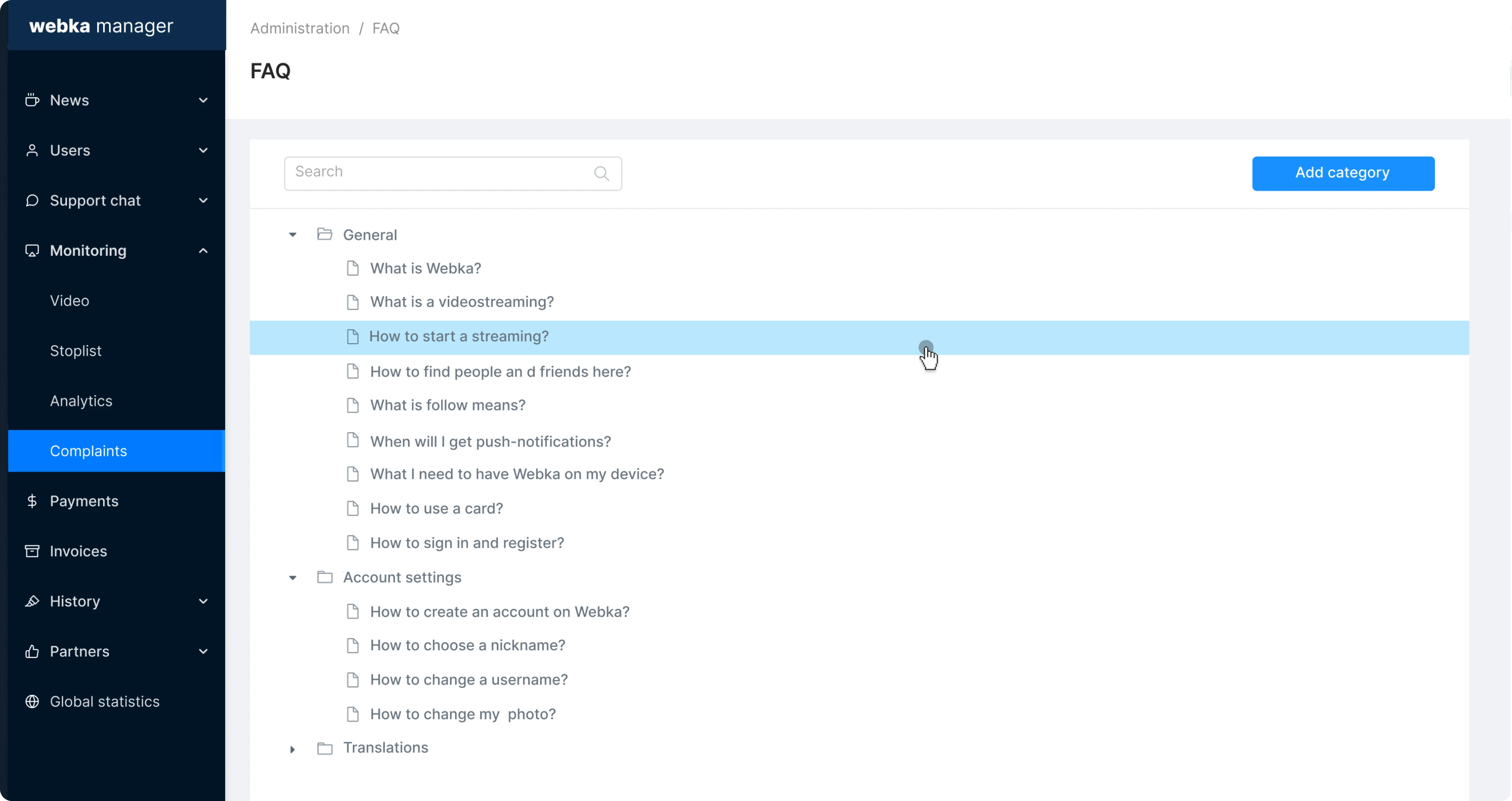
The admin workspace needed to handle user reports, content review, and escalations in one structured environment.


Core Product Screens

Moderation dashboards, user management, and operational reporting


The Challenge

Moderation work was fragmented, repetitive, and hard to prioritize

Administrators and moderators were handling high-volume operational work through disconnected tools and manual processes. Reports and tasks were scattered, urgency signals were unclear, and teams had to spend too much time searching, filtering, and deciding what to handle next. Without a centralized moderation environment, managers also lacked a clear real-time view of workloads, bottlenecks, and trends.

Key issues

Fragmented workstreams
Tasks, reports, content review, and escalations were scattered across disconnected tools and manual queues.
Manual prioritization
Moderators lacked clear signals for urgency, severity, ownership, and next action — prioritization was too manual.
High error risk
Misclassified cases, redundant handling, and unclear state transitions increased the risk of inconsistent decisions.
Filtering friction
Users could not find relevant cases quickly enough, especially in high-volume queues with inconsistent filter behavior.
Poor dashboard clarity
Managers lacked real-time status views into workloads, trends, escalations, and operational bottlenecks.
Operational fatigue
Repetitive tasks and fragmented UI increased cognitive load for moderators and support agents working at high volume.

Users & Stakeholders

Different teams needed different levels of speed, visibility, and control

The platform served several internal user groups with different responsibilities and information needs. The design had to support all of them from the same underlying system.

Moderators
Needed fast triage, clear prioritization, quick actions, and reduced repetitive work in high-volume queues.
Support agents
Needed enough context to resolve user cases and understand escalation history before acting.
Admin reviewers
Needed detailed case views, traceability, and confidence in policy enforcement decisions.
Operations managers
Needed dashboards, workload visibility, trend reporting, and bottleneck detection.
QA & compliance
Needed auditability, consistent decisions, and reliable case state history.
Product leadership
Needed a clearer operational picture and better visibility into support load and platform health.

Solution

Creating a centralized moderation workspace with clear queues, roles, and actions

The solution focused on turning scattered moderation tasks into a structured operational environment. The interface needed to help teams understand what required attention, why it mattered, who owned it, and what action should happen next.

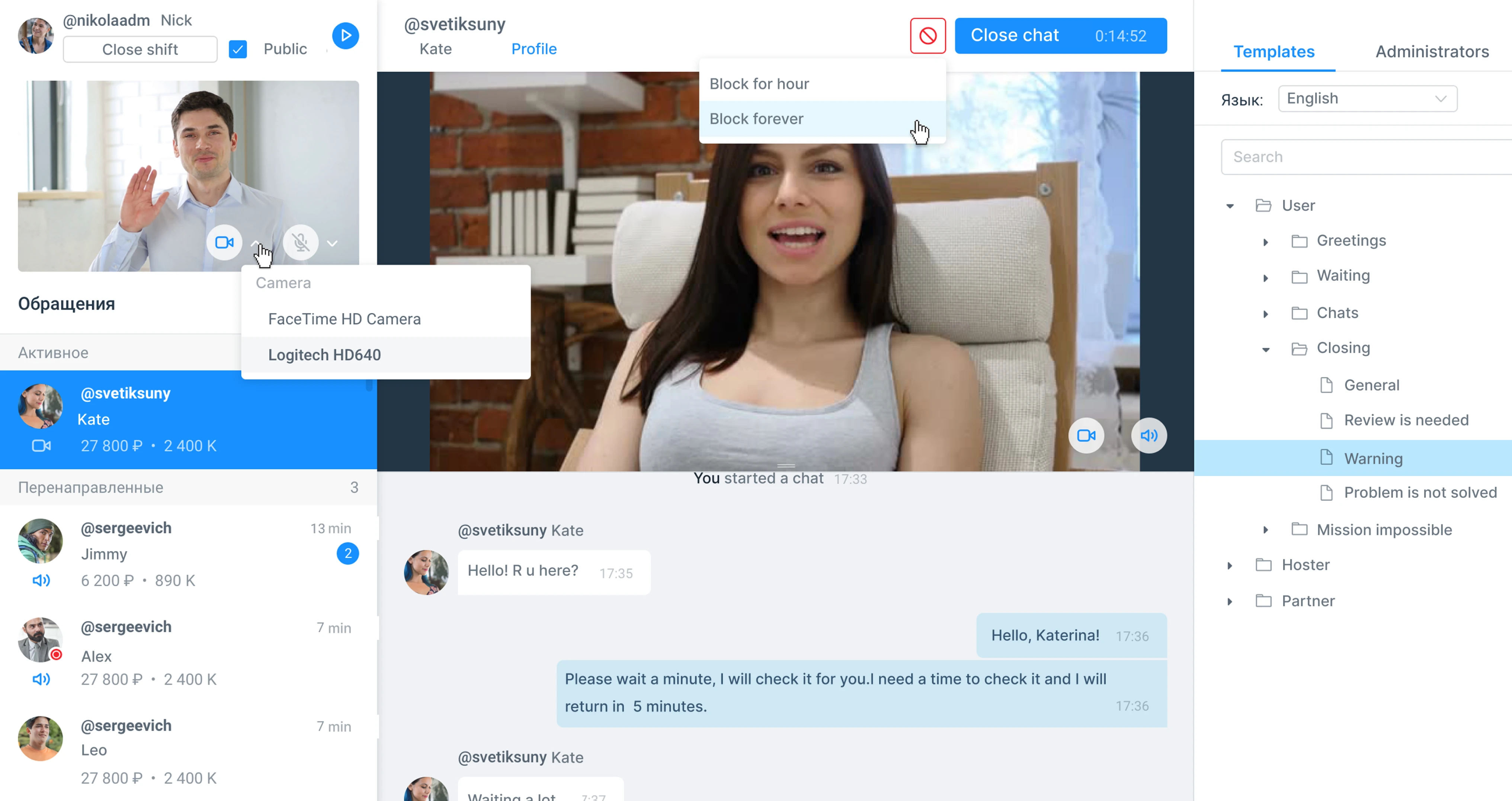
Unified moderation dashboard

I designed a centralized task queue with clear prioritization, status updates, escalation signals, and workload visibility. Instead of jumping between disconnected tools, moderators could start from one operational view and understand what needed attention first — without re-assembling context from multiple sources.

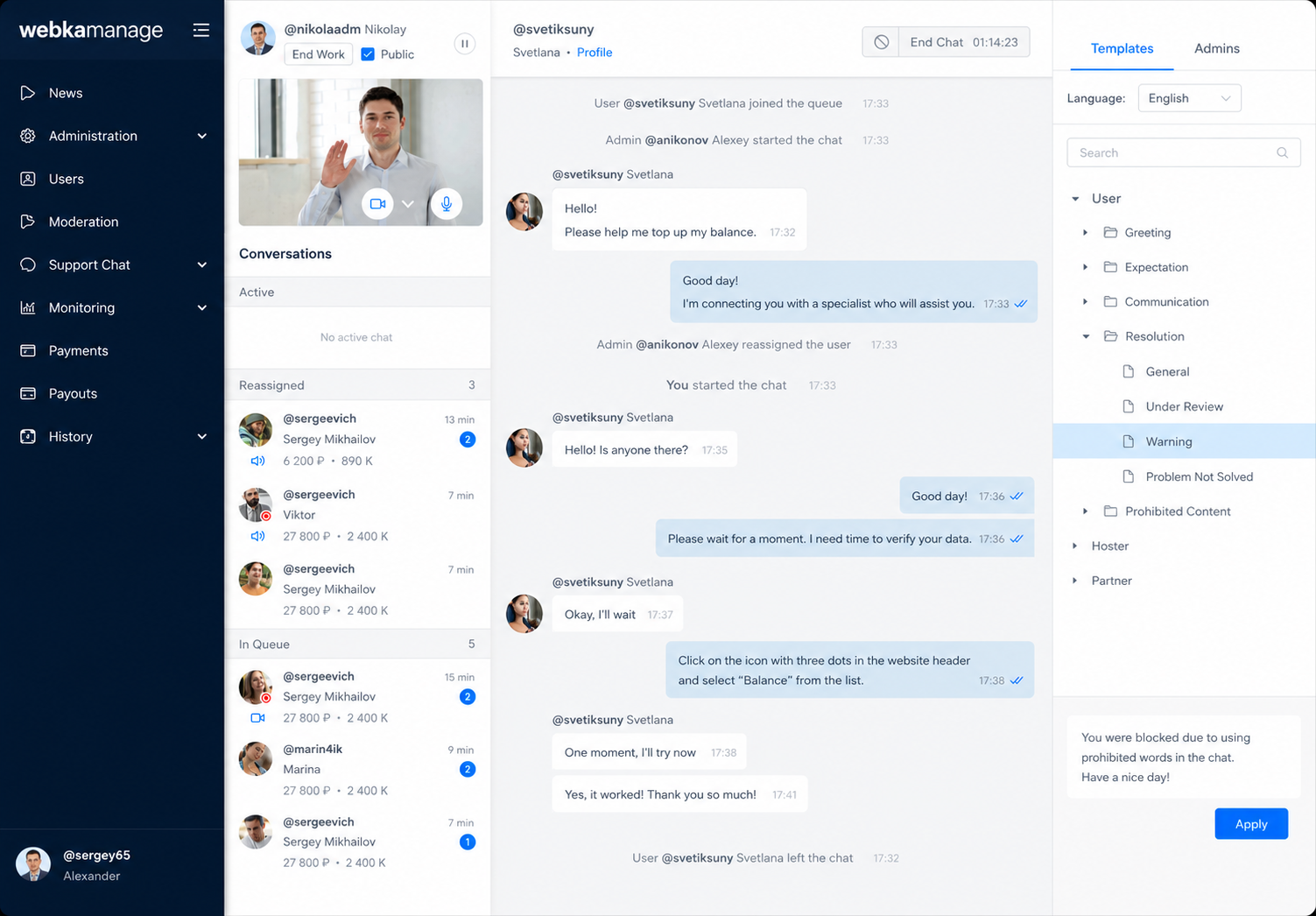
Unified moderation dashboard

A centralized queue helped moderators understand urgency, ownership, and status without switching between tools.

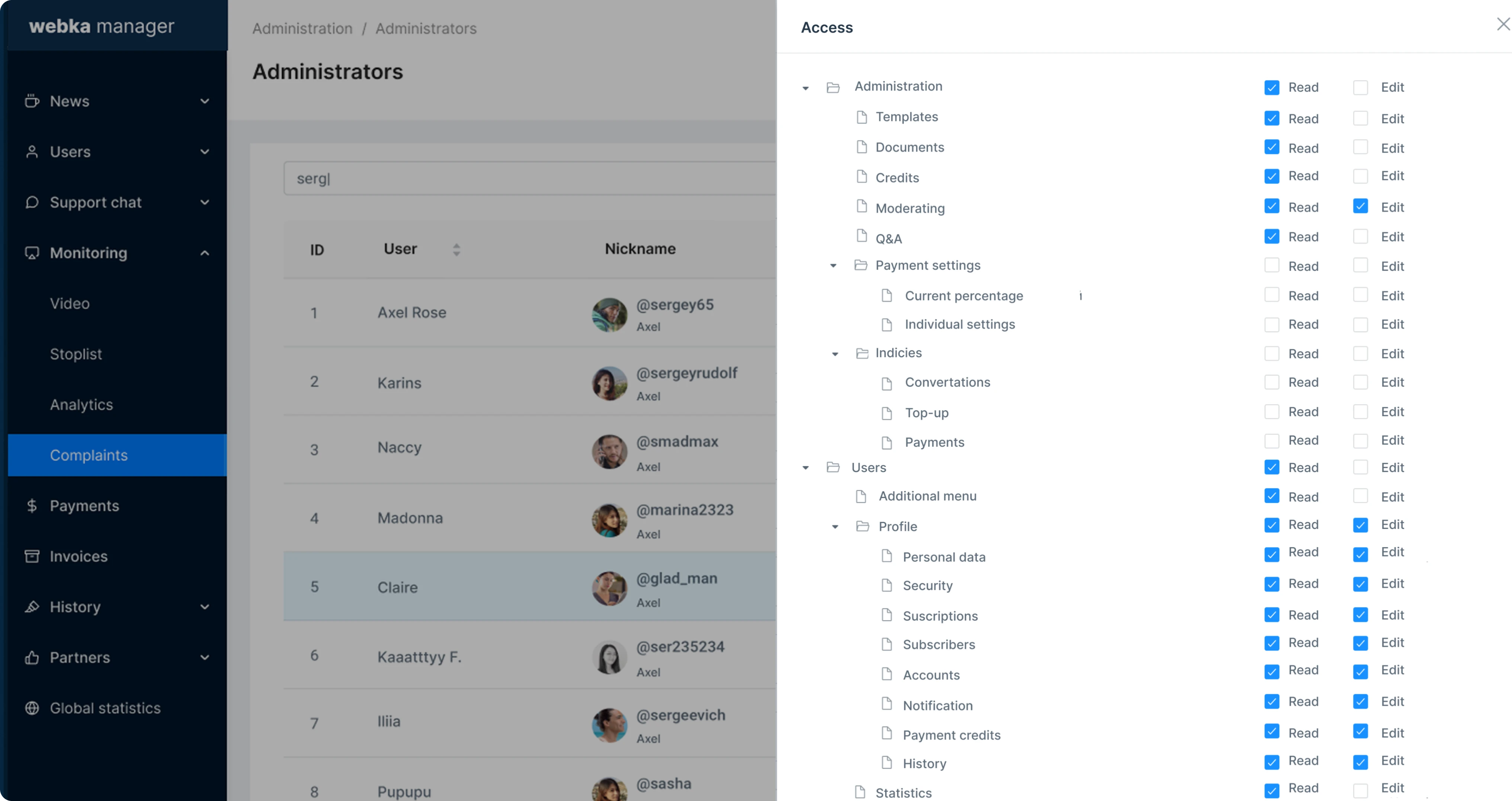
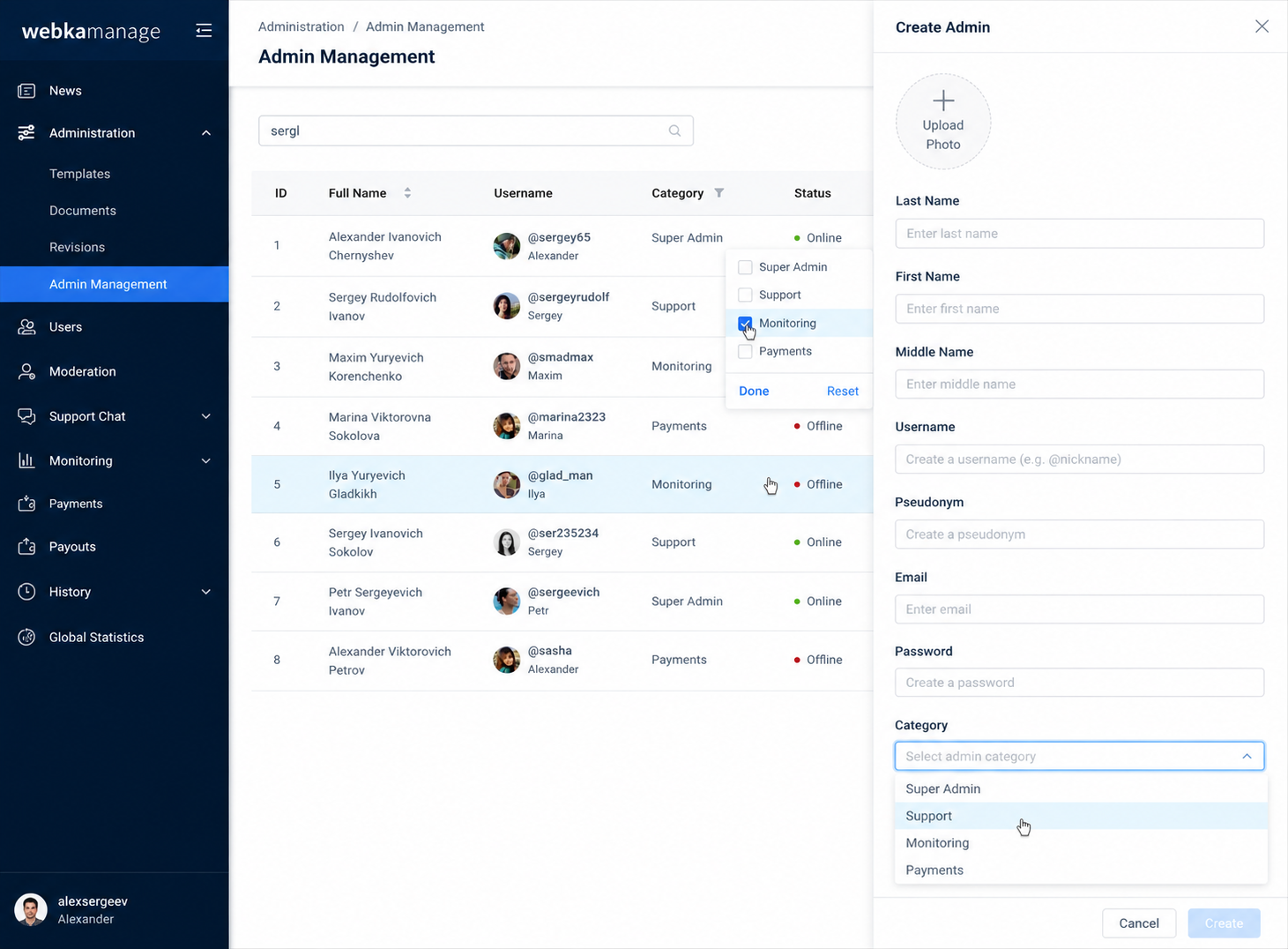
Role-based interfaces

Different user groups needed different levels of detail and control from the same system. I designed view layers for moderators, support agents, admin reviewers, and managers so each role could focus on the decisions and actions most relevant to their work — without being overloaded by information intended for others.

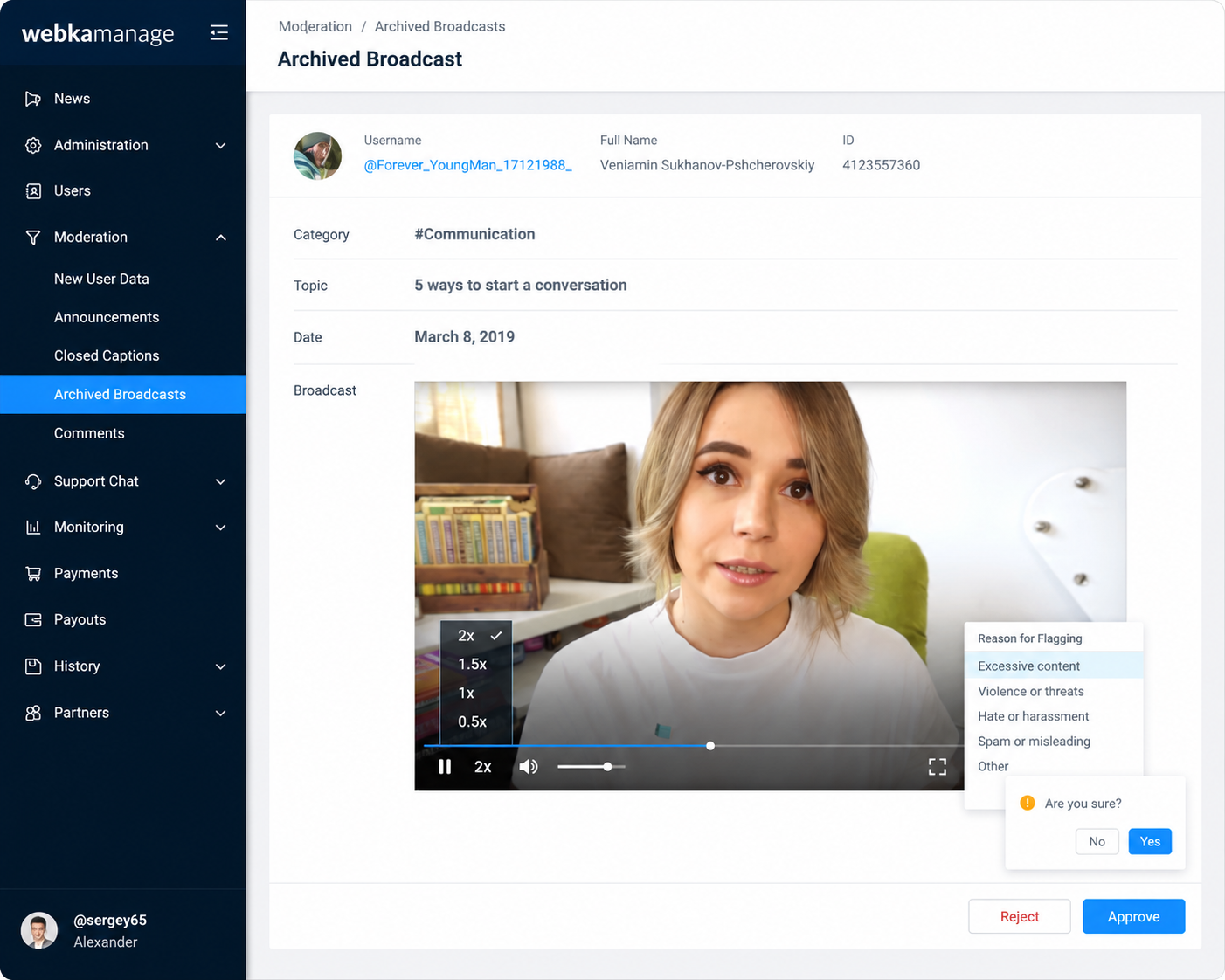
Role-based interfaces

Role-based views gave each team the right level of detail and control for their type of work.

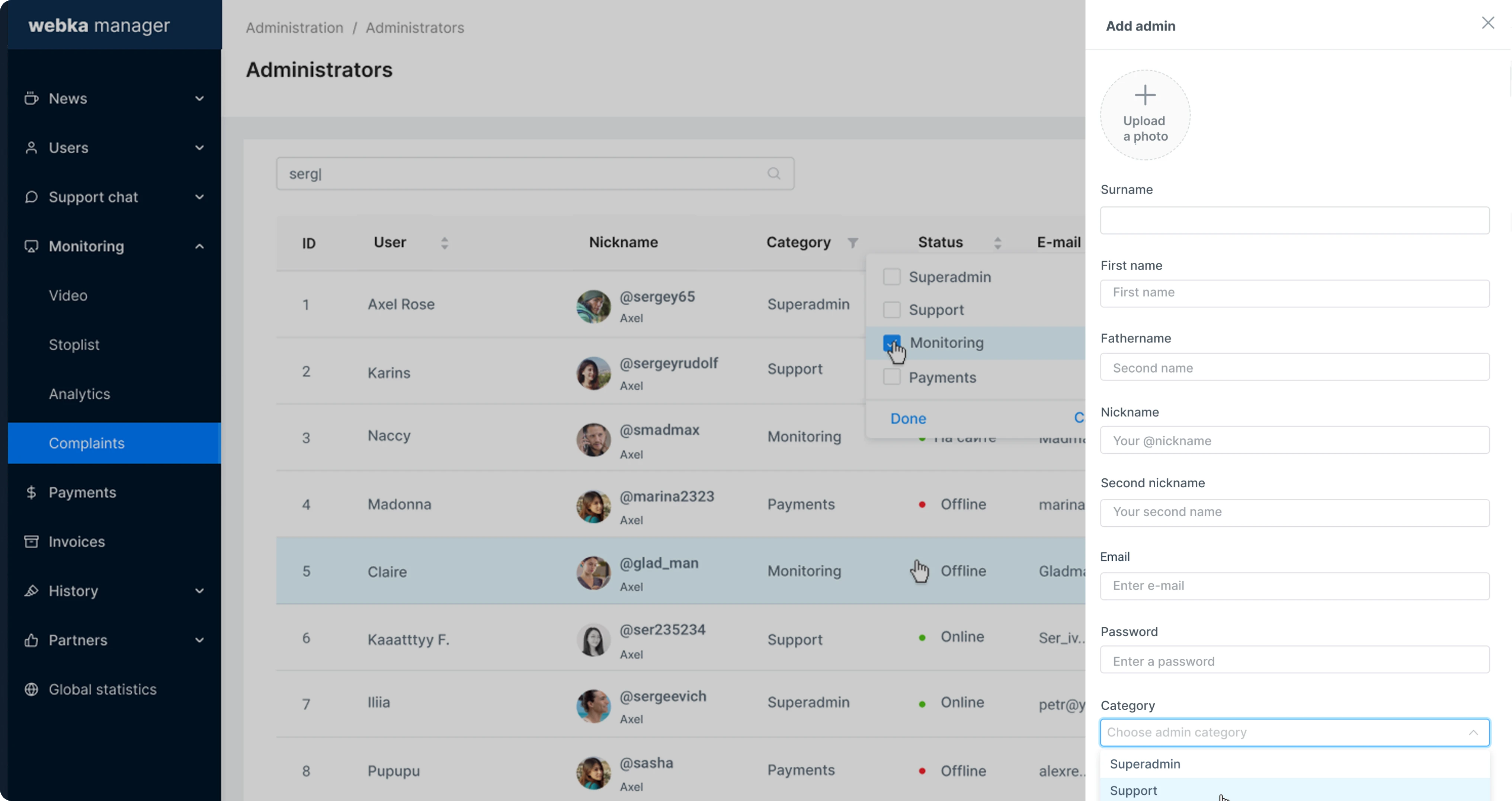
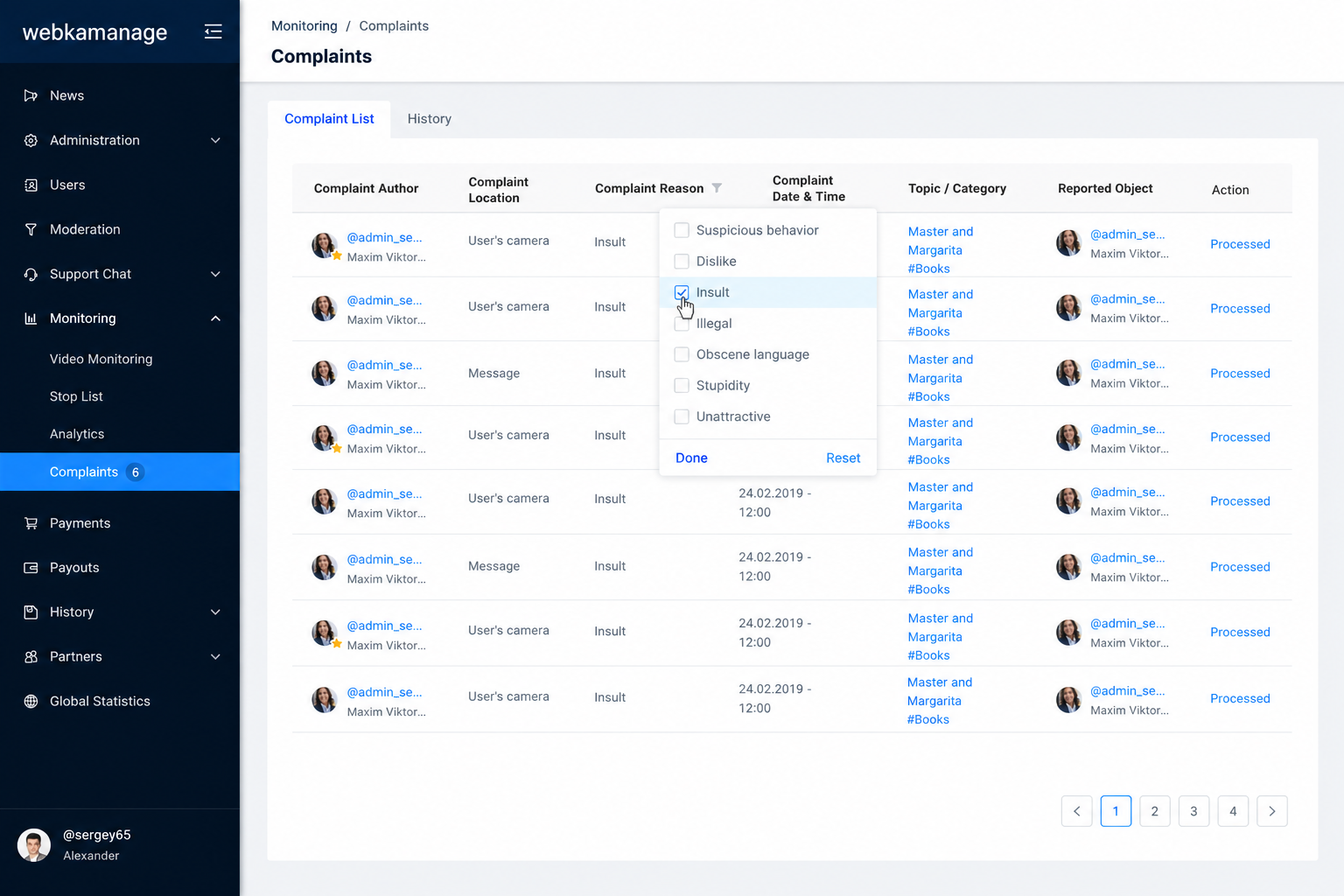
Filtering and search improvements

In high-volume queues, filtering is not a secondary feature — it defines how quickly users can find, assess, and resolve cases. I improved filters, saved presets, and search behavior across lists, queues, and reports to reduce case discovery time and make it easier to find the right record on the first attempt.

Filtering and search

Better filtering and saved presets reduced the time needed to locate relevant cases in high-volume queues.

Operational UX patterns and audit trails

I designed bulk actions, inline feedback, clear state transitions, and audit history for repetitive moderation work. These patterns reduced redundant handling and made decisions easier to track — improving both speed for individual moderators and traceability for QA and compliance teams.

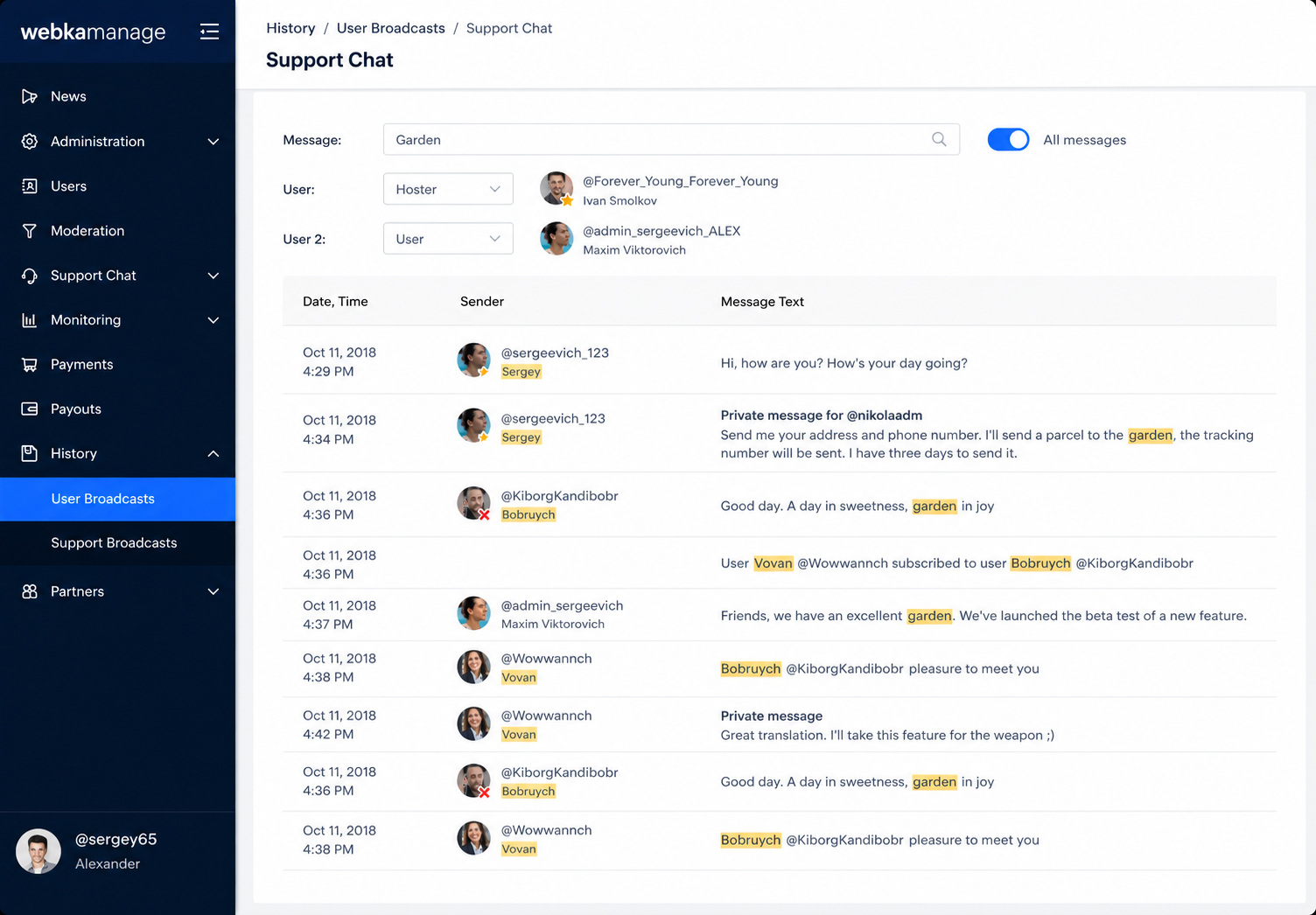
Audit trail and moderation actions

Clear state transitions and audit history made moderation decisions faster to take and easier to review.

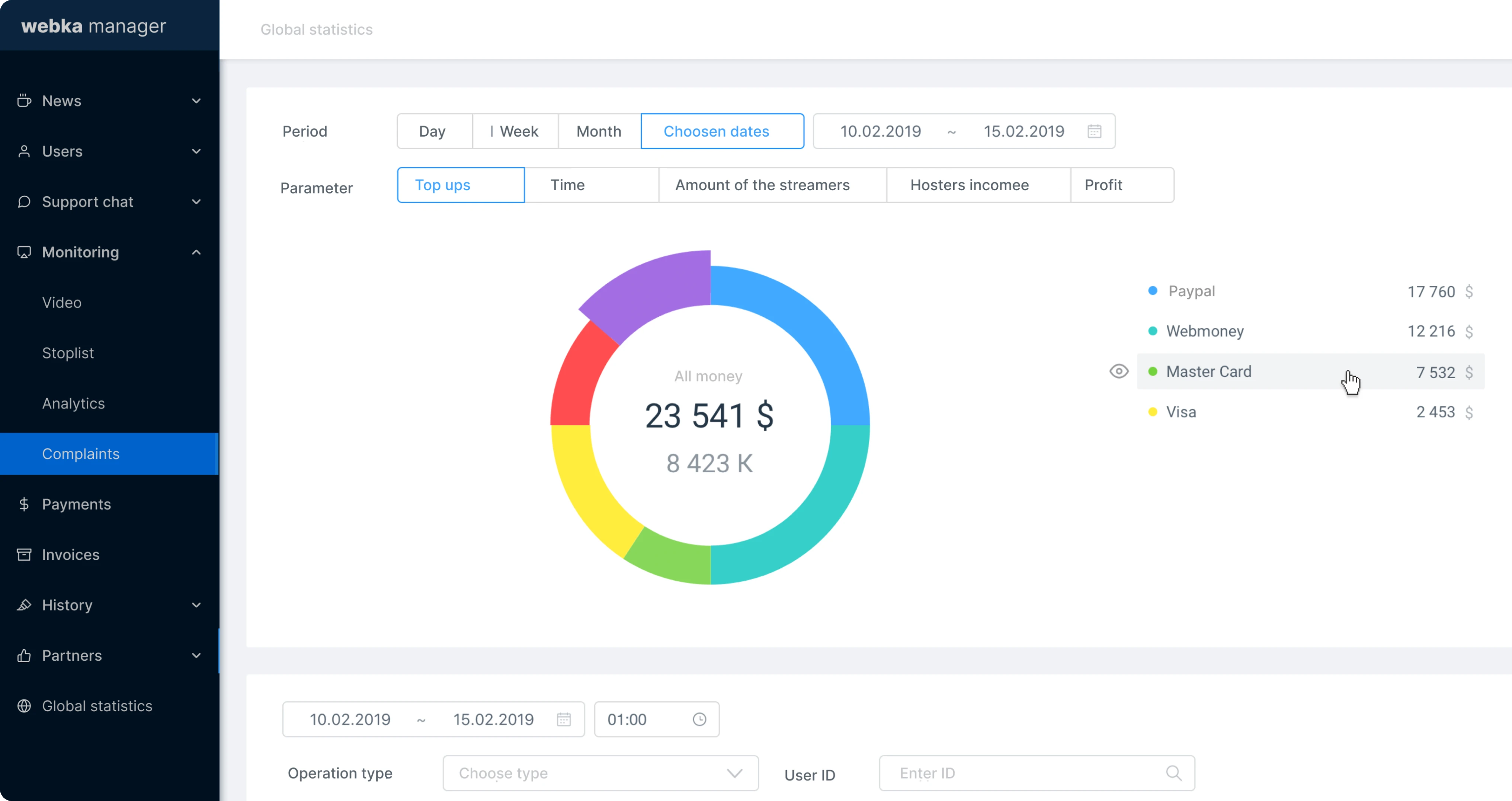
Lightweight operational reporting

Managers needed visibility into workload, trends, escalations, and support pressure without manually assembling data from disconnected sources. I designed summary dashboards and reporting views that helped teams understand operational health at a glance and identify where attention was needed.

Operational reporting dashboard

Summary dashboards helped managers track workloads, trends, and escalation pressure across the team.


Result Design

A unified workspace for faster moderation and clearer operational control

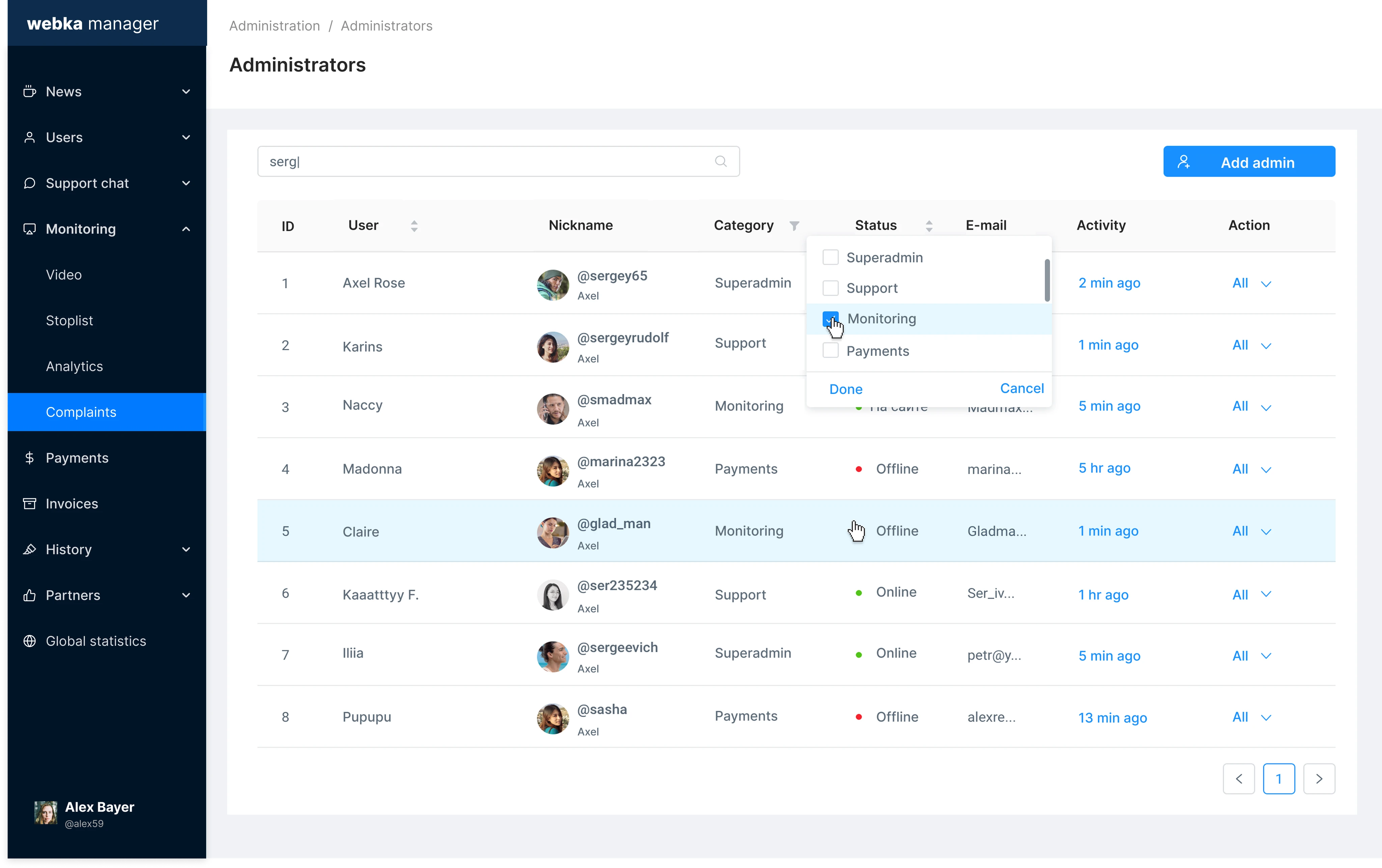
The final product brought moderation queues, support tasks, user reports, filtering, role-based views, and operational reporting into one structured internal tool. Instead of working through scattered dashboards and manual processes, admin teams gained a shared workspace where cases could be prioritized, handled, reviewed, and tracked with more consistency.

Webka final moderation workspace

The redesigned admin tool unified moderation queues, role-based views, and operational dashboards into one workspace.


Process

How I worked

01
Understand
Conducted stakeholder interviews with moderators, support leads, admin reviewers, QA, and operations managers to understand daily workflows and pain points.
02
Analyze
Mapped task queues, escalation paths, prioritization behavior, repetitive actions, and points where manual work created risk or delay.
03
Structure
Defined information architecture, user roles, case states, queue logic, filtering behavior, and dashboard hierarchy for a unified operational model.
04
Prototype
Created low-fidelity flows and high-fidelity Figma mockups for moderation paths, queue views, role-based screens, and operational dashboards.
05
Validate
Ran iterative feedback sessions with real moderators and support users to test clarity, prioritization logic, and action flows before implementation.
06
Deliver
Partnered with PM, engineering, and QA through implementation, edge-case validation, demos, and post-launch iteration cycles.

Results

Faster case handling, clearer queues,
and reduced operational load

Metrics were based on qualitative feedback, admin observations, and before/after task comparisons. Success was measured through workflow speed, search efficiency, escalation reduction, dashboard clarity, and the ability to handle higher case volume with less operational fatigue.

Task resolution time
Admin teams resolved reports and cases faster after moderation workflows were centralized into one workspace.
Escalation overhead
Clearer ownership, state transitions, and role-based views reduced redundant escalations and handoffs between teams.
Filtering time
Improved filters, saved presets, and search patterns helped users find relevant cases faster in high-volume queues.
Operational efficiency
Moderators and support agents handled higher case volume without proportional increases in manual coordination effort.
Dashboard clarity
Managers gained better visibility into workloads, trends, escalations, and operational bottlenecks without manual aggregation.
Decision consistency
Clearer case states, audit trails, and operational signals helped teams make more consistent moderation decisions.

Metrics & Validation

Measuring operational improvement in an internal moderation tool

Metrics were based on qualitative feedback, admin observations, and before/after task comparisons. Because this was an internal operations tool, success was measured through workflow speed, search efficiency, escalation reduction, dashboard clarity, and the ability to handle higher case volume with less operational fatigue.

Validation methods included stakeholder interviews with moderators, support leads, and admin reviewers; task analysis of work queues and priority behavior; pain point mapping and opportunity identification; and iterative user validation sessions with real admin users throughout the design process.


Reflection

Internal tools succeed when they reduce the invisible work around the visible tasks

This project showed that moderation UX is not only about reviewing content. Much of the real work happens around prioritization, context gathering, escalation, and decision traceability. The value of the tool came not from adding features, but from making fragmented operational work more structured — so admin teams could make faster decisions with less fatigue, lower error risk, and more consistent outcomes.